

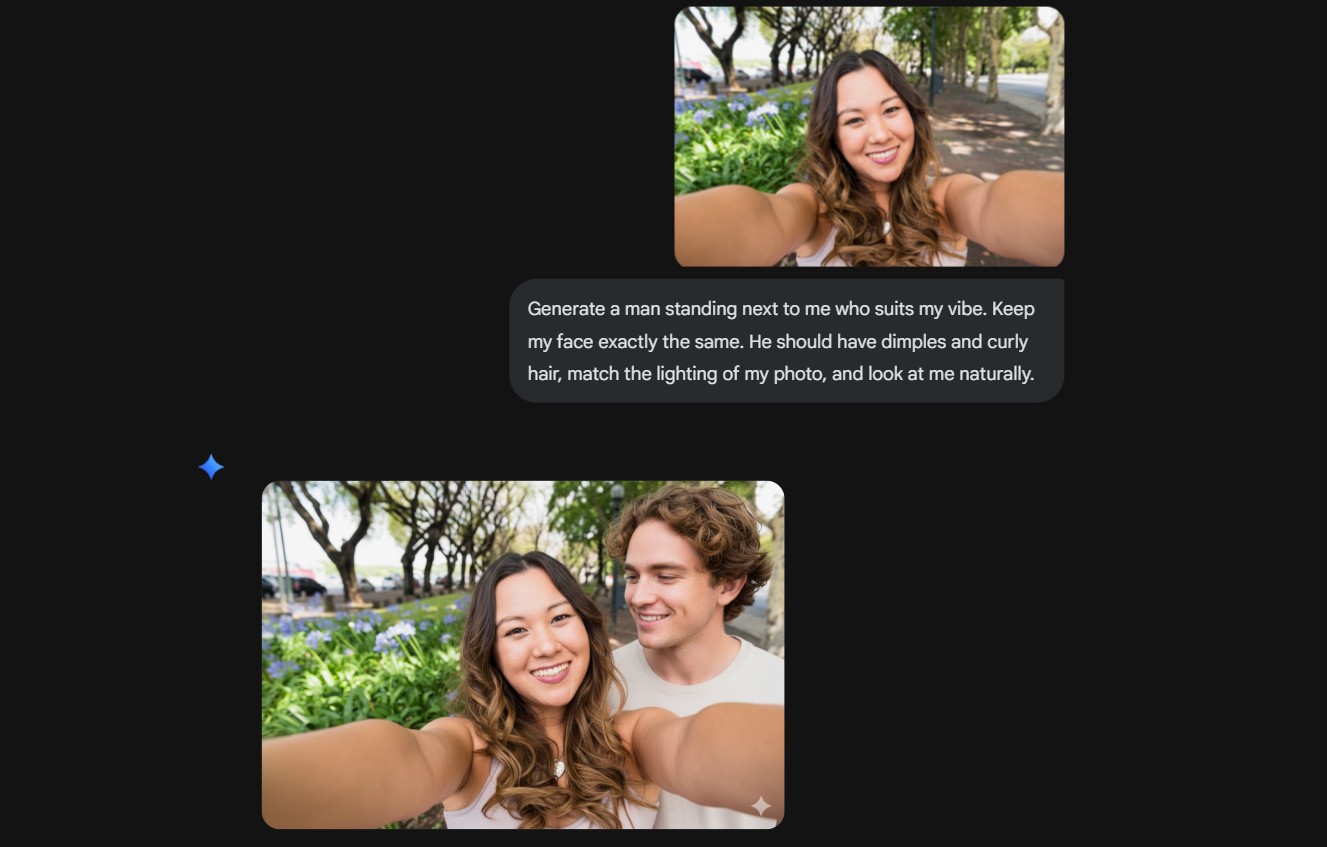
The latest Gemini trend that has taken over social media nowadays is to add an AI boyfriend in your photos. This AI boyfriend can be customised to your liking, or if you don’t have a type, you can leave it up to Gemini to find your true match. Social media is drowning in reels of this 'Generate a Suitable Boyfriend Next to Me' trend. People are generating these images and posting them to their stories about their new ‘partner’ to get fun reactions from their followers. Some people are also sending these adorable AI-generated couple photos to their family groups to prank their parents. Let’s dive into the step-by-step guide and prompts on how to create an AI boyfriend in your photos using Gemini here!
The year 2026 has begun with a new trend that has the internet in pure chaos, and it's the 'Generate a Suitable Boyfriend Next to Me' trend. People are telling Gemini to create an image for themselves with a striking boyfriend or girlfriend. This trend has taken over social media, and people want to know how they can become a part of this trend as well.
If you also want to try the 'Generate a Suitable Boyfriend Next to Me' trend, then check out this step-by-step guide for how to create an AI boyfriend in your photos using Gemini here!
Select a High-Quality Photo: The very first step of doing this trend successfully is to choose a clear photo with natural lighting. You also need to ensure that there is enough negative space (empty room) next to you for the AI to realistically place a second person in the frame.
Upload to Gemini: Now that you have your photo with you, open the Gemini app or web interface. Go on a new chat and tap the "+" icon to upload your image. Ensure you are using the Nano Banana model, which you can find under the ‘Tools’ menu, for the highest results.
Enter the ‘AI boyfriend’ Prompt: With your image uploaded, now you have to add the prompt to generate your photo. Copy and paste a descriptive prompt from our options below and hit enter. You can customise the features of your AI-generated boyfriend or girlfriend according to your preferences. To follow the trend, enter the prompt "Generate a man standing next to me who suits my vibe. Keep my face exactly the same. He should have [describe style, e.g., a cosy sweater and a kind smile], match the lighting of my photo, and look at me naturally." 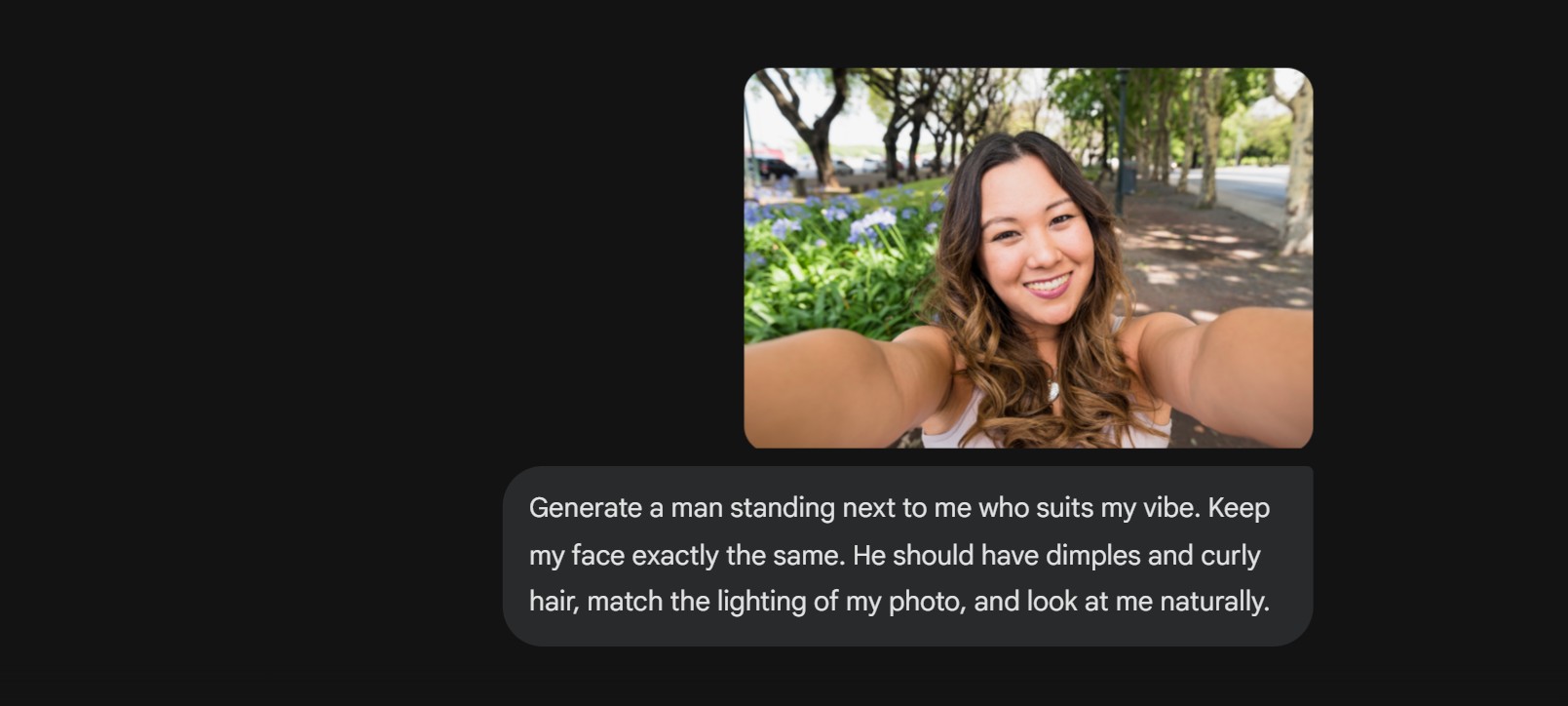
Refine the Details: If the first result you get isn't perfect, use follow-up prompts. You can say, "Make him slightly taller than me" or "Change the background to a sunset beach." With Gemini’s multi-turn editing, you will be able to tweak your partner's appearance without changing your own.
Download and Share: The last step is to download your photo once you are satisfied with your results.
ALSO READ- How To Use Google Gemini Prompts To Make People Or Objects Disappear From Photos: Step-by-Step Guide
Check out the prompts that you can use to generate a partner in your photos using Gemini here!
For An AI Boyfriend
"Generate a man standing next to me who suits my vibe. Keep my face exactly the same. He should have [describe style, height and more details], match the lighting of my photo, and look at me naturally."
For AN AI Girlfriend
"Generate a woman standing next to me who suits my vibe. Keep my face exactly the same. She should have [describe her style, face, hair and more details], match the lighting of my photo, and look at me naturally."
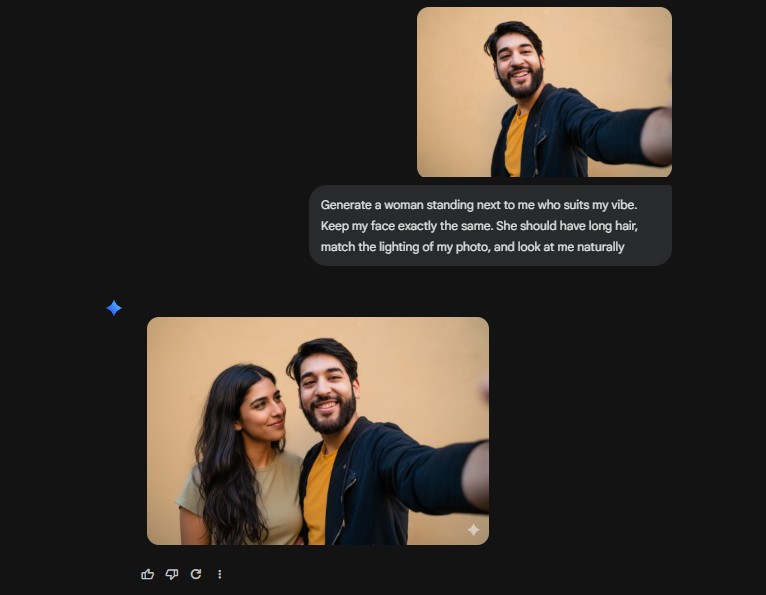
Try these viral prompts to generate an AI boyfriend in your photos using Gemini today.
ALSO READ- How To Create AI Couple Photos With Google Gemini For Free: Step-by-Step Guide and Prompts
Image Credit: Freepik, Gemini
For more such stories, stay tuned to HerZindagi.
Also watch this video
Herzindagi video
Our aim is to provide accurate, safe and expert verified information through our articles and social media handles. The remedies, advice and tips mentioned here are for general information only. Please consult your expert before trying any kind of health, beauty, life hacks or astrology related tips. For any feedback or complaint, contact us at [email protected].