Sun Mar 22, 2026 | Updated 11:27 AM IST HZ Awards 2026


AI Dance Video: The ‘AI Dancing Baby’ trend has taken social media by storm in 2026, with cherubic, hyper-realistic infants performing complex choreography to the latest global hits. From K-pop routines to the ‘Jersey Joe’ shuffle, these videos are racking up millions of views on TikTok and YouTube Shorts. The secret isn't advanced animation skills; it's the clever use of motion transfer technology. By using AI tools like Viggle, Kling AI, or Vidnoz, anyone can now turn a static image of a baby into a rhythmic dance sensation that perfectly matches the beat of any viral track.
AI dancing baby videos are short, hyper-realistic animations created using motion-transfer technology. Unlike traditional 3D animations of the past, these videos use generative AI to map the movements of a real dancer onto a static image or a generated character of a baby. In 2026, this trend has evolved from creepy-cute memes to high-fidelity content where AI-generated infants perform complex TikTok choreographies, shuffle dances, and K-pop routines with fluid, human-like physics.
Generate or Select a Character: Use an AI image generator like Google Gemini to create a high-quality, full-body image of a baby. Ensure the lighting is clear and the character is standing in a neutral pose.
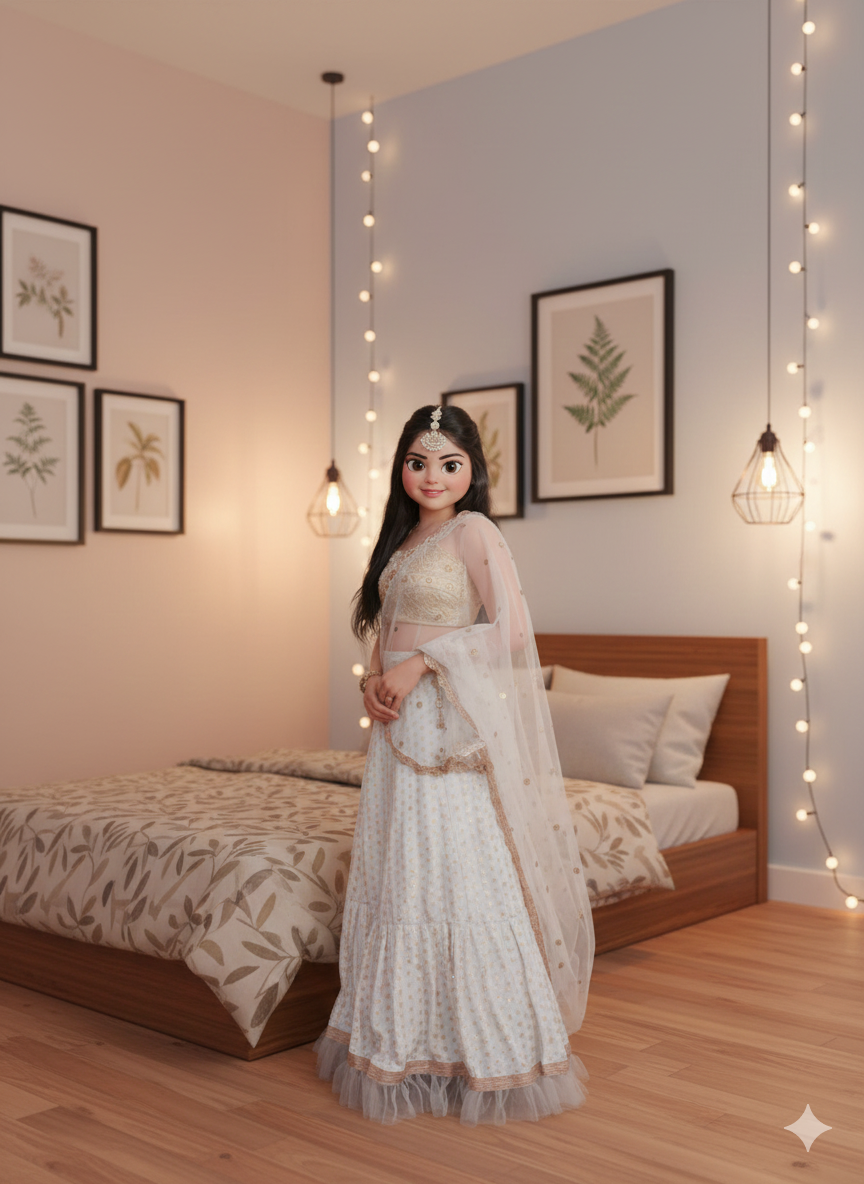
Choose a Motion Tool: Upload your baby image to a motion-transfer AI platform like Viggle AI, Kling AI, or Flow.
Upload Reference Motion: Provide a ‘reference video’ of a real person dancing to a specific trend. The AI will then ‘wrap’ the baby’s appearance over the dancer’s movements.
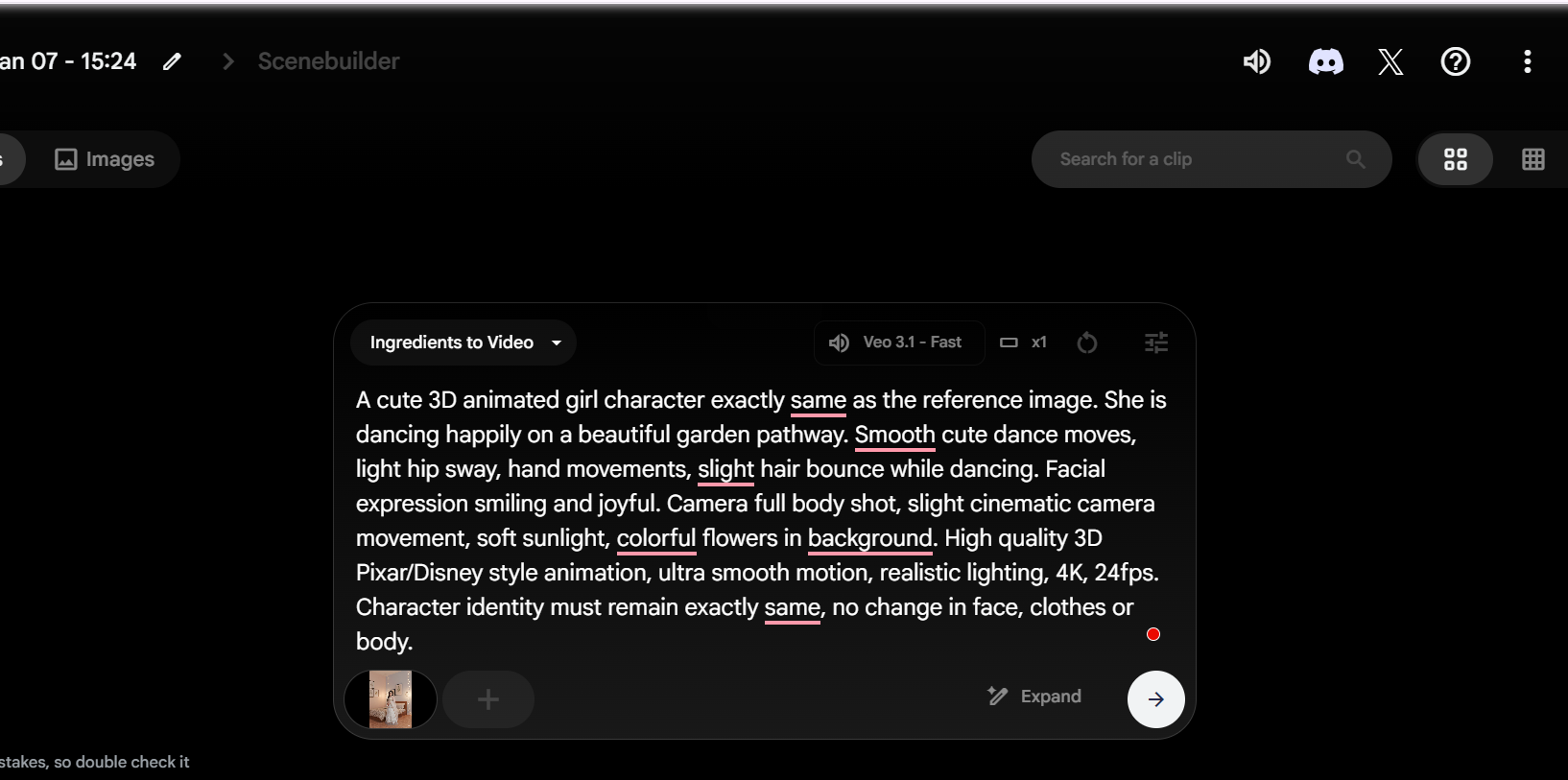
Process and Refine: Select ‘Create’ and wait for the AI to render the motion. In 2026, tools like Kling AI allow you to adjust motion strength to ensure the baby's limbs don't look distorted.
Final Edit: Export the video to CapCut to add trending music, filters, and text overlays before posting.
ALSO READ- How To Create AI Couple Photos With Google Gemini For Free: Step-by-Step Guide and Prompts
To get a consistent and realistic character, use a descriptive prompt like this:
"A cute 3D animated girl character, exactly the same as the reference image. She is dancing happily on a beautiful garden pathway. Smooth, cute dance moves, light hip sway, hand movements, and slight hair bounce while dancing. Facial expression smiling and joyful. Camera full body shot, slight cinematic camera movement, soft sunlight, colourful flowers in the background. High quality 3D Pixar/Disney style animation, ultra smooth motion, realistic lighting, 4K, 24fps. Character identity must remain exactly the same, no change in face, clothes or body."
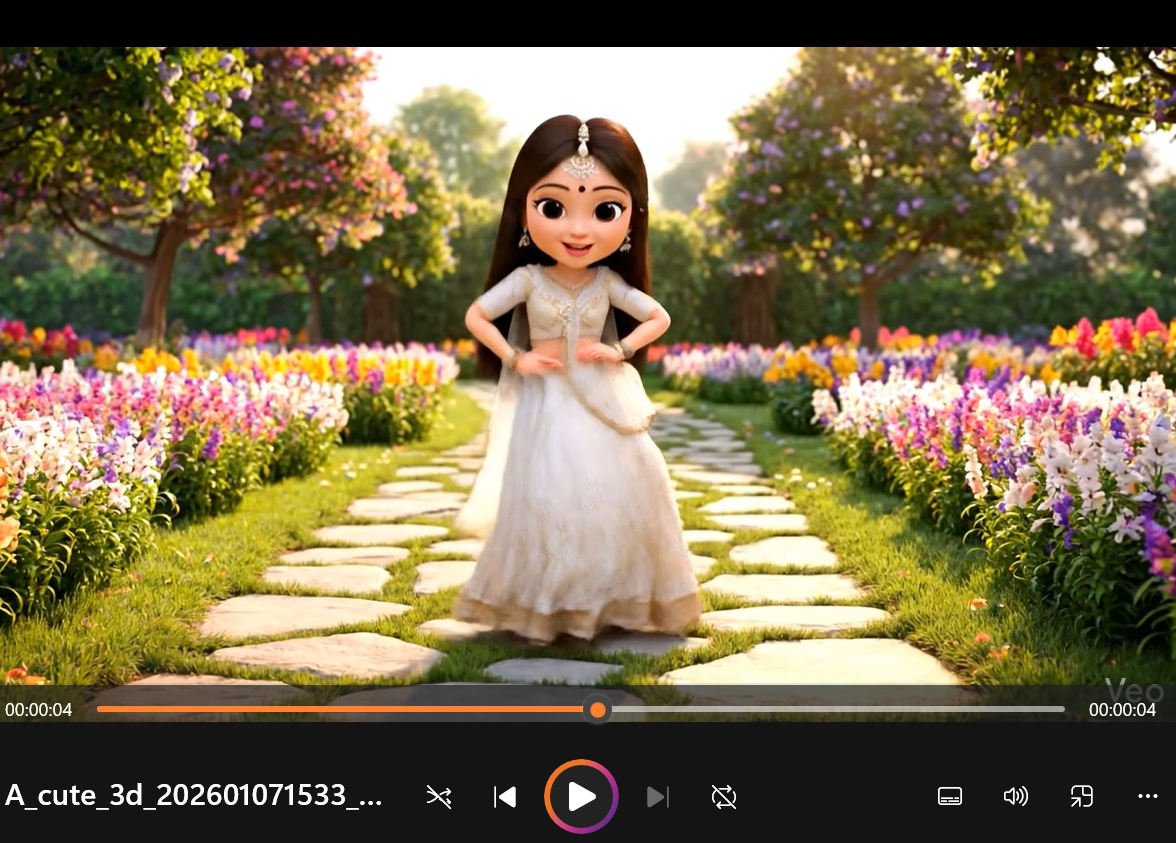
The fascinating and slightly surreal feeling of seeing a baby move with the skill and agility of a professional adult dancer. The juxtaposition of an innocent baby and aggressive hip-hop dance creates a high scroll-stop factor. Additionally, they are highly shareable because they evoke humour and disbelief, often leading users to tag friends or attempt to recreate the dance themselves.
Sync with Beat Drops: Use editing apps like CapCut to ensure the AI baby’s power moves land exactly on the bass drops of a trending song.
Use AI Voiceovers: Add a funny, deep-voiced AI narration to the baby to give it a tough personality, which adds a layer of comedy.
High-Contrast Backgrounds: Place your baby in unexpected locations, like a futuristic neon stage or a busy city street, to make the visuals pop on the ‘For You’ page.
Consistency: Create a recurring baby influencer character with the same clothes and name to build a loyal following rather than posting one-off clips.
ALSO READ- How To Create AI Haldi Photos With Google Gemini For Free: Step-by-Step Guide and Prompts
For more such stories, stay tuned to HerZindagi.
Also watch this video
Herzindagi video
Our aim is to provide accurate, safe and expert verified information through our articles and social media handles. The remedies, advice and tips mentioned here are for general information only. Please consult your expert before trying any kind of health, beauty, life hacks or astrology related tips. For any feedback or complaint, contact us at [email protected].